
Provider Matrix
Choose a service you already use, or a self-hosted destination you can maintain. You can enable more than one provider.
Set up delivery
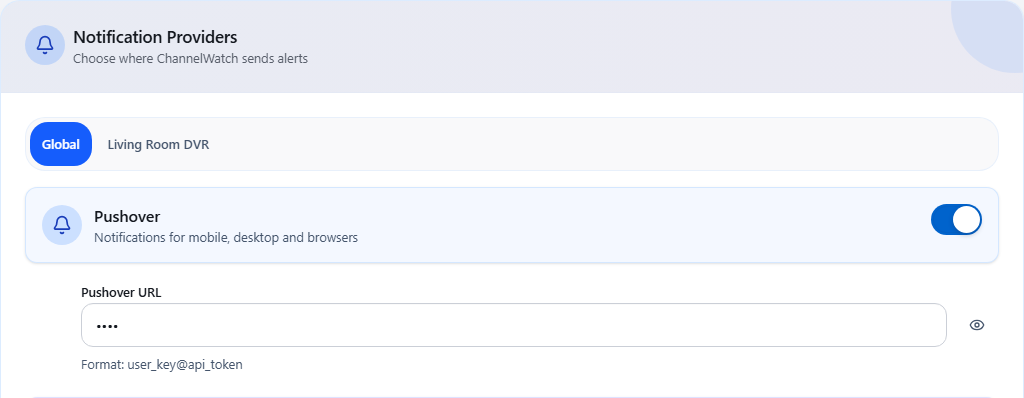
Section titled “Set up delivery”- Open Settings > Notifications and select Global.
- Enable a provider and enter its credentials using the matching guide below.
- Save. In Settings > Alerts, choose the alert types you want.
- Check Settings > Routing for any DVR-specific delivery choices.
- When you are ready to send a real message, follow the v1.6.0 notification test guidance, then check the receiving app and Delivery Log.
New installations use Important Only. Live-TV and VOD notifications remain off until you enable them. Upgrades keep saved preferences.
Route alerts per DVR
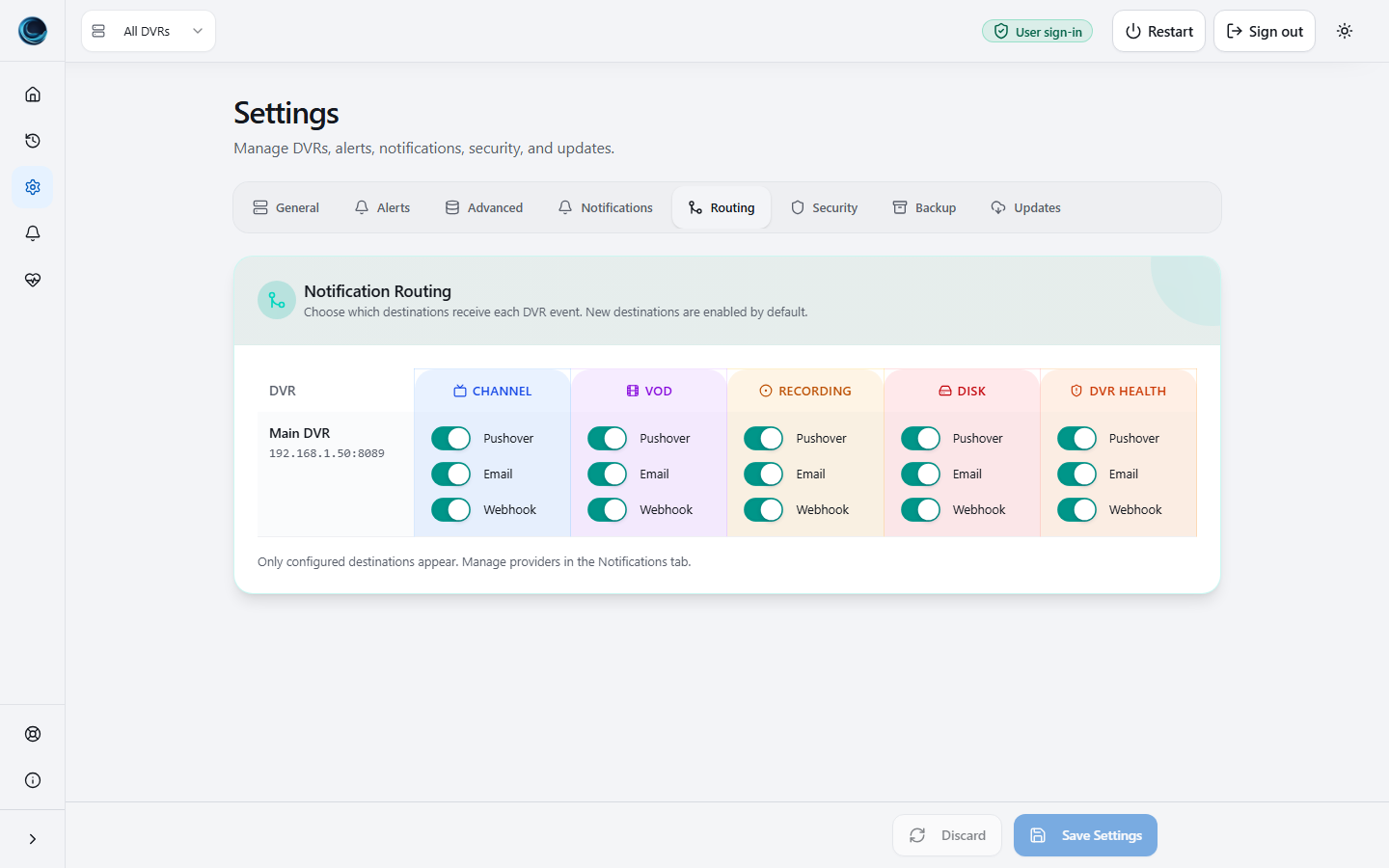
Section titled “Route alerts per DVR”Use Settings > Routing to choose which configured providers receive each DVR’s alerts. See Per-DVR Notification Routing for the override and pause controls.
How delivery works
Section titled “How delivery works”Most built-in providers use Apprise. Each configured destination is delivered and recorded separately.
Discord is the one exception: ChannelWatch sends Discord webhooks directly over HTTP for standard discord.com/api/webhooks/ URLs. For non-standard Discord URL formats, the Custom (Apprise) provider handles the fallback.
Custom (Apprise) accepts one complete URL for a service supported by the bundled Apprise version. Native signed webhooks and Python provider plugins are separate delivery options.
Provider comparison
Section titled “Provider comparison”| Provider | What you enter | Useful when |
|---|---|---|
| Pushover | User Key and application API Token | You want alerts in the Pushover app |
| Discord | Channel webhook URL | Several people share a Discord channel |
| Telegram | Bot token and chat ID | You want bot messages in a chat or group |
| Slack | Three webhook token segments | Your household or team uses Slack |
| SMTP connection and recipient | You want an inbox copy | |
| Gotify | Server and application token | You run a Gotify server |
| Matrix | Homeserver credentials and room | You use a Matrix room |
| Custom Apprise | One complete Apprise URL | Your service has no dedicated provider slot |
| Webhooks | Endpoint URL and signing secret | Your own service accepts signed JSON requests |
| Provider Plugins | A trusted local Python module | You need custom delivery logic |
Images and self-hosting
Section titled “Images and self-hosting”Artwork depends on the alert settings, available DVR metadata, the destination’s rendering, and ChannelWatch’s URL safety checks. Text can arrive without an image. See the Pushover attachment rules and Discord image guidance.
Gotify and Matrix can use infrastructure you host. A public Matrix homeserver or federated room can still involve other operators. Choose the server and room accordingly.
Delivery log support
Section titled “Delivery log support”All providers feed the shared Delivery Log. A successful send means the destination accepted the request; it does not prove that a phone displayed it or that someone read it.