
Matrix
Matrix is a decentralized, open-source messaging protocol. ChannelWatch sends notifications to Matrix rooms through Apprise, which handles the Matrix client API calls for you.
What you need
Section titled “What you need”- A Matrix account on any homeserver (matrix.org, your own Synapse instance, etc.)
- The homeserver hostname (e.g.
matrix.org,matrix.example.com) - Your Matrix username and password
- The room ID or room alias of the room you want to notify
Room ID vs room alias
Section titled “Room ID vs room alias”Matrix has two ways to identify a room:
| Format | Example | Notes |
|---|---|---|
| Room alias | #general:matrix.org |
Human-readable, starts with # |
| Room ID | !abc123xyz:matrix.org |
Permanent internal ID, starts with ! |
Room aliases can change or be deleted. Room IDs are permanent. Either works with ChannelWatch, but the room ID is more reliable for automation.
To find a room’s ID in Element: open the room, go to Room Settings > Advanced, and copy the Internal room ID.
URL format
Section titled “URL format”The dedicated Matrix field accepts the credential path after matrix://; ChannelWatch prepends that scheme. Enter values in this form:
<matrix-user>:<matrix-password>@homeserver/#room-alias<matrix-user>:<matrix-password>@homeserver/!room-idURL-encode reserved characters in usernames or passwords, such as @, :, /, and #, so they are not interpreted as URL separators. Keep credentials out of screenshots and shared logs.
Examples:
# matrix.org account, room alias<matrix-user>:<matrix-password>@matrix.org/#channelwatch-alerts
# Self-hosted homeserver, room ID<matrix-user>:<matrix-password>@matrix.example.com/!abc123xyz:matrix.example.com
# Multiple rooms in one URL<matrix-user>:<matrix-password>@matrix.example.com/#general/!abc123xyz:matrix.example.comAdd Matrix in the web UI
Section titled “Add Matrix in the web UI”- Open the ChannelWatch web UI at
http://your-server-ip:8501 - Go to Settings > Notifications and stay on the Global scope
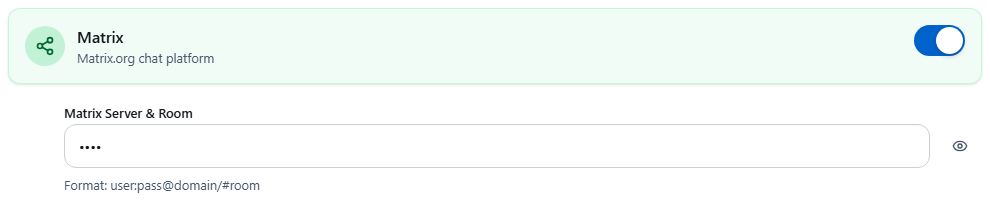
- Enable Matrix and enter the credential path in the format above, without a
matrix://prefix - Click Save, then follow the notification test guidance, including the v1.6.0 command-line fallback. This sends a real room message.
Add Matrix via environment variable
Section titled “Add Matrix via environment variable”For headless or automated deployments, set CW_APPRISE_MATRIX in your compose file:
environment: CW_APPRISE_MATRIX: "<matrix-user>:<matrix-password>@matrix.example.com/#channelwatch-alerts"ChannelWatch prepends matrix:// automatically, so you only provide the part after the scheme.
For a homeserver that requires matrixs://, configure the complete secure URL through CW_APPRISE_CUSTOM instead:
environment: CW_APPRISE_CUSTOM: "matrixs://<matrix-user>:<matrix-password>@matrix.example.com/#channelwatch-alerts"Troubleshooting room joins
Section titled “Troubleshooting room joins”“Room not found” or no notification arrives
Section titled ““Room not found” or no notification arrives”Apprise joins the room automatically on first use. If the join fails:
- Confirm the room alias or ID is correct. Copy it directly from Element rather than typing it.
- Check that the room allows new members to join. Private rooms require an invite first. Invite your Matrix account to the room, then retry.
- Verify your homeserver hostname matches the one your account is registered on. A
matrix.orgaccount cannot authenticate againstmatrix.example.com.
Federated room IDs
Section titled “Federated room IDs”If the room is on a different homeserver than your account, include the full server suffix in the room ID:
<matrix-user>:<matrix-password>@matrix.example.com/!abc123xyz:other-server.orgCopy the complete room identifier from your Matrix client. A correct identifier does not grant access by itself: the sending account must be allowed to join and post, and homeserver federation policy can prevent access.
Check delivery without bypassing ChannelWatch
Section titled “Check delivery without bypassing ChannelWatch”Use the ChannelWatch test path rather than sending directly through a separate Apprise command. This keeps the app’s routing and delivery logging involved. Check the Delivery Log and the room itself; an accepted API request does not prove that every member’s client displayed it.
For other authentication forms, consult the Apprise Matrix reference and check support in the bundled version before using a complete URL in Custom Apprise. The dedicated field does not provide an interactive Matrix sign-in or verification flow.
Related pages
Section titled “Related pages”- Provider Matrix - compare all notification providers at a glance
- Delivery Log - review sent notification history
- Custom (Apprise) - use any other Apprise-supported service